
Comparisons7 min read
Free vs paid animated component libraries: what designers actually get
Free animated component libraries are good, but most of them are React code made for developers. A paid library earns its price for a designer when it pastes straight into your tool, lets you tune the motion before you copy, keeps one style across many pieces and clearly allows client work.


Six libraries at a glance
We read each library's own site on 27 November 2026 and took the numbers and prices from there. Some prices were Black Friday prices and are marked so.
| Library | Made for | Free | Paid | Licence |
|---|---|---|---|---|
| Sagely Design | Designers: paste into Figma, Framer, Webflow or an AI builder | Many assets with an account, 2 copies a day | Pro $12 a month, $99 a year or $249 once | Personal, client and commercial work; no reselling the assets |
| React Bits | React developers | The whole library, as source code | React Bits Pro from $129 once | MIT with Commons Clause: commercial use, no reselling the components |
| Magic UI | React and Tailwind developers | 150+ open source components | Pro $199 once | Free part MIT; Pro allows commercial use, no reselling the code |
| Aceternity UI | React and Tailwind developers | 100+ components | $169 for a year or $199 for life, on sale from $249 and $299 | Free plan for side projects |
| Framer Marketplace | Framer users | Many components | Paid items from $2 to $16 when we last checked | Set by each maker |
| LottieFiles | Lottie animation files | Free animations, 5 saved files | $19.99 a month billed yearly, $9.99 on Black Friday | Premium animations need a paid plan |
This is the Sagely Design blog, so our library comes first. Below we say plainly where a free library is all you need.
What a free library gives you
More than people expect. React Bits gives away its whole library as source code you own, and its licence allows commercial use. Magic UI has 150+ free components under the MIT licence. Aceternity UI keeps 100+ components free. The Framer Marketplace is full of free components, and LottieFiles lets you insert free animations into Figma with its plugin.
The catch for a designer is the format. React Bits, Magic UI and Aceternity UI are made for developers: you install a component into a React project, usually with Tailwind CSS and Motion, and change it in code. If you design in Figma and publish in Framer or Webflow, a free code library means handing it to a developer or learning the stack.
- Free is enough when: you or your developer work in React, you need one component, or you are learning.
- Free costs time when: you have to rebuild the piece in Figma for the mockup, then again in Framer or Webflow for the site.
What paying adds
Paid tiers mostly add size and finish: Aceternity UI's paid plans add 200+ blocks and 15+ templates, React Bits Pro adds page blocks, app UI and landing templates, Magic UI Pro adds blocks and templates. They are still code. What a designer should look for in a paid library is different:
- It lands in your tool. Real layers in Figma, a component in Framer, native elements in Webflow, not a zip of React files.
- You tune it before you copy. Text, colours, photos and timing change on the page, and the copy carries your settings.
- One style across the set. Twenty pieces from twenty makers make a page look patched together; one library keeps the same hand.
- The licence says client work. Read it before you use anything on a paying client's site.
- It keeps growing. A subscription or lifetime plan should bring new pieces, not just the ones you bought.
How Sagely Design does free and paid
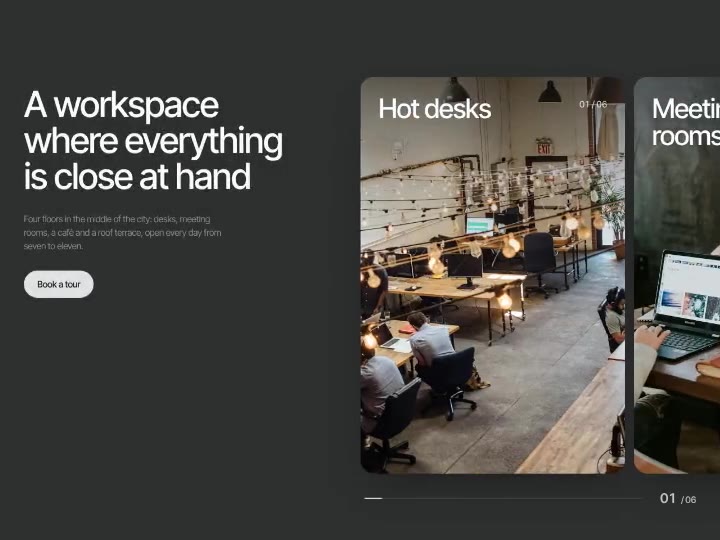
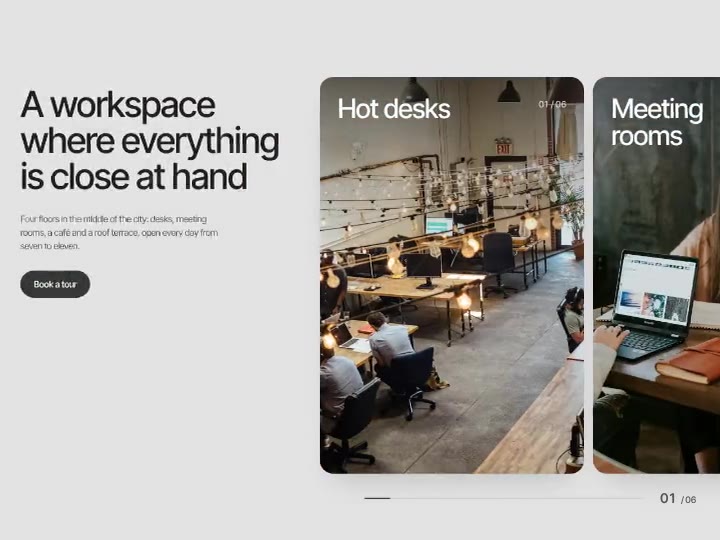
Sagely Design is made for designers. Every asset, free or Pro, opens with live controls, and copies into Figma as real layers, into Framer as a code component, into Webflow as native elements, or as a prompt with its full source for Lovable, v0, Bolt, Claude Code, Codex or Cursor.
- Free: many effects, components and sections with an account, with the same controls and the same paste as Pro. Free accounts copy 2 assets a day.
- Pro: the whole library of 90+ assets plus new ones every week, unlimited copies and 4K video at 60 fps. $12 a month, $99 a year or $249 once. There are no single-item purchases.
- Licence: personal, client and commercial projects, no credit needed. Only reselling the assets themselves, as a kit, template or library, is not allowed.
- Weaker at: count. About 90 assets, not hundreds, and no full page templates yet.
How to choose
- You or your developer build in React: start with React Bits, Magic UI or Aceternity UI for free, and pay when you need their blocks and templates.
- You design in Figma and publish in Framer or Webflow: pick a library that pastes into those tools, so nothing gets rebuilt.
- You need one small piece today: search the Framer Marketplace or LottieFiles first.
- You build sites for clients every month: a paid library with one style and a clear client licence pays for itself on the first project.


